
Jigo – Google Workspace for Jira
Integrate Google Workspace™ into Jira
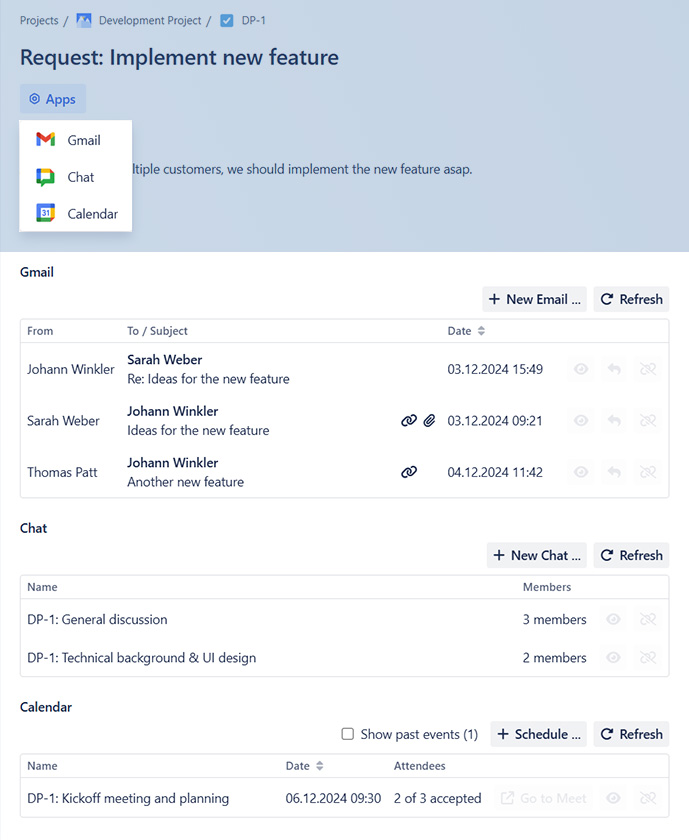
Enhance your productivity by seamlessly connecting Google Workspace collaboration tools. Manage Gmail, initiate Google Chats, and schedule Google Calendar events directly from your Jira issues. Link and share mails, chats and events within Jira work items with your colleagues to further boost efficiency and track communication.
Jigo is published together with our partner Seibert Group.
Three tools to improve your workflow
Jigo - Google Workspace for Jira
Jira App
Integrate Google apps and track communication in Jira work items:
- Gmail™
- Send new emails
- View and reply to linked emails
- Google Chat™
- Chat directly in Jira
- Initiate and manage spaces
- Join shared spaces
- Google Calendar™
- Schedule new events
- Join shared events and meetings
Jigo - Jira for Google Workspace
Chrome Browser Extension
- Create and edit Jira Issues from anywhere
- Use content from Gmail™ or Google Chat™ spaces and easily generate full Epics
- Link emails, Google Chat™ Spaces and Google Calendar™ events to Jira work items
- Find Jira work items connected to a email, Google Chat™ space or event
- Upload email attachments and Google Drive™ files to Jira Issues
- Track time within Jira work items (Tempo compatible)
Jigo - Jira for Google Workspace
Google Workspace Add-On
- Create new Jira Issues from Gmail™
Edit Jira Issues from Gmail™ - Link Emails to Jira Issues
- Upload email attachments to Jira Issues
Highly customizeable
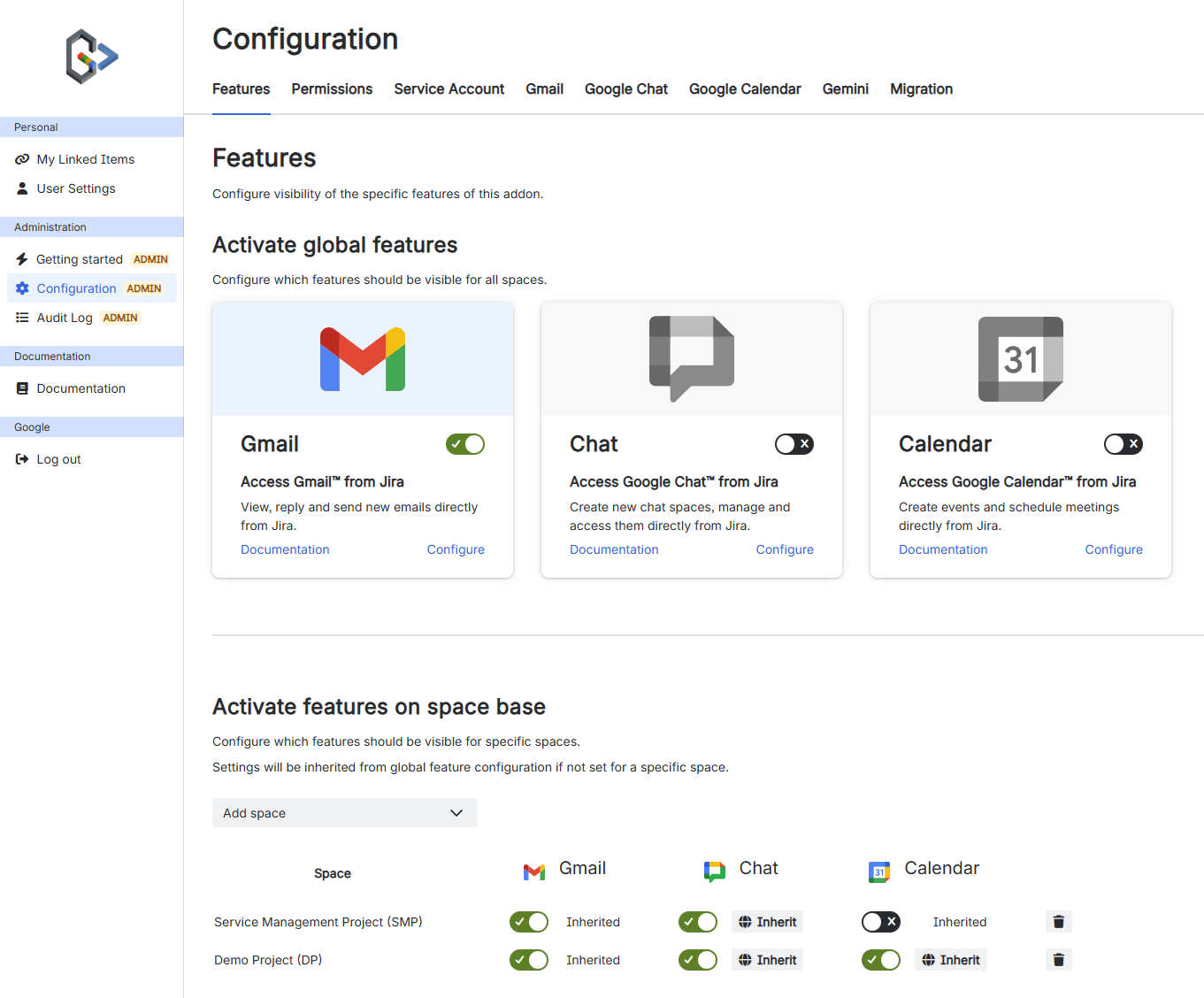
Jigo adapts to the way your team works, not the other way around. Whether you want to roll out full features across your organization or fine-tune access for specific teams, you have absolute control with granular configuration options at both the global and project levels.
-
Global & Project-Level Control: Enable or disable specific Google features (like restricting Google Chat linking while keeping Gmail enabled) for individual Jira projects or the entire instance.
-
Modular Workspace Options: Seamlessly toggle features on or off as required to keep your Jira UI clean, focused, and relevant to your teams.
-
Built Around Your Processes: Match your security boundaries and team habits perfectly, ensuring Jigo blends invisibly into your existing daily operations.
Find all communication
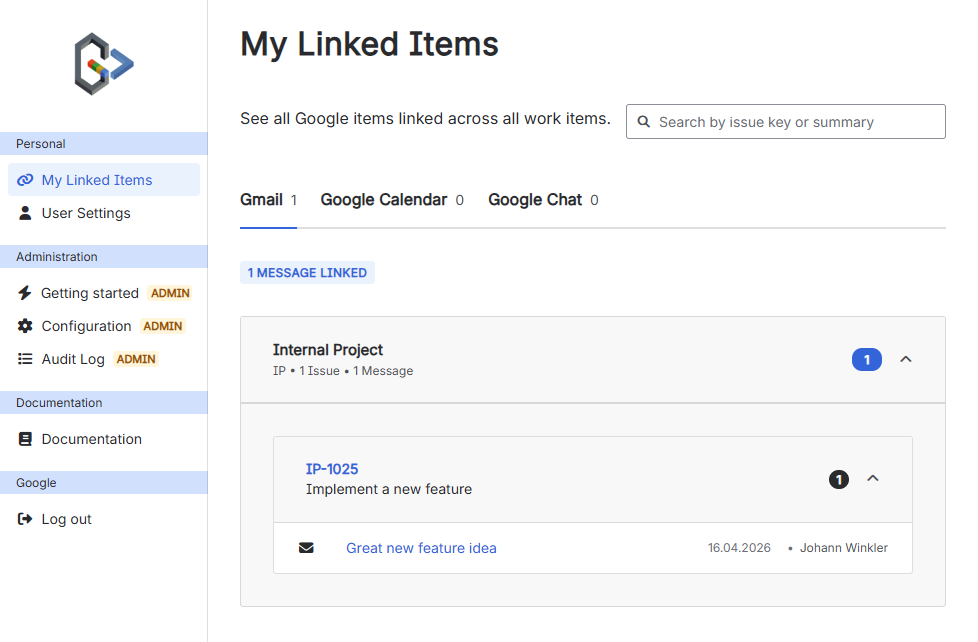
Stop shifting tabs between your inbox, chat, and Jira issues. Our integration automatically surfaces relevant Google emails, Google Chat spaces, and Google Calendar events directly inside the Jira work items they belong to.
-
Contextual Overviews: See every linked email, chat thread, and meeting event inside the specific Jira work item.
-
Space & Instance Search: Easily pull up all connected Google communications across entire projects or your full Jira setup.
-
Work Where It Matters: Keep your teams focused on their tasks without losing the valuable context buried in their Google apps.
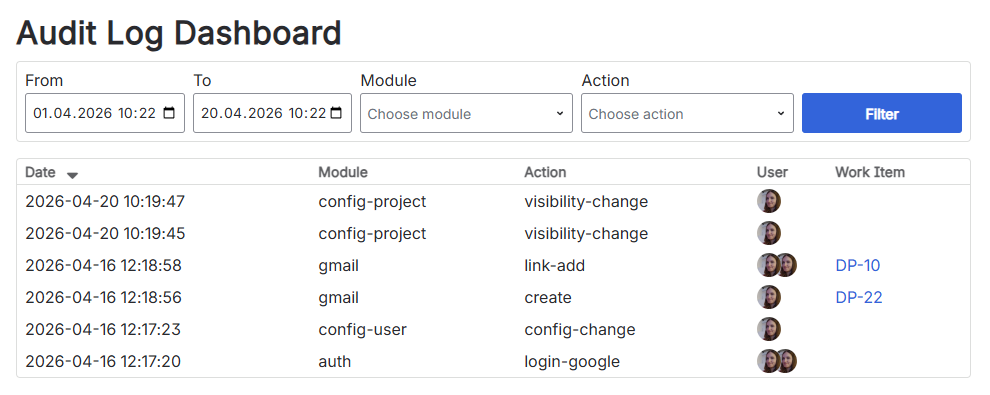
Full transparency
Connecting your communication tools to Jira requires absolute trust and control. That’s why we provide administrators with a comprehensive audit log that tracks how Google Workspace data is being linked, accessed, and viewed across your Jira instance.
-
Granular Admin Visibility: See exactly which emails, chats, and events are connected and who is accessing them.
-
Secure & Compliant: Maintain strict control over data visibility with a clear paper trail built for enterprise security.
Security & Privacy first
We prioritize your privacy and security. We collect minimal data, encrypt it, and utilize Google and Athlassian authentication to ensure only authorized individuals can access information. Use our app with confidence knowing your data is safe and sound.

Extend our features even further
With our optional Google Workspace Add-On and Browser Extensions.
